



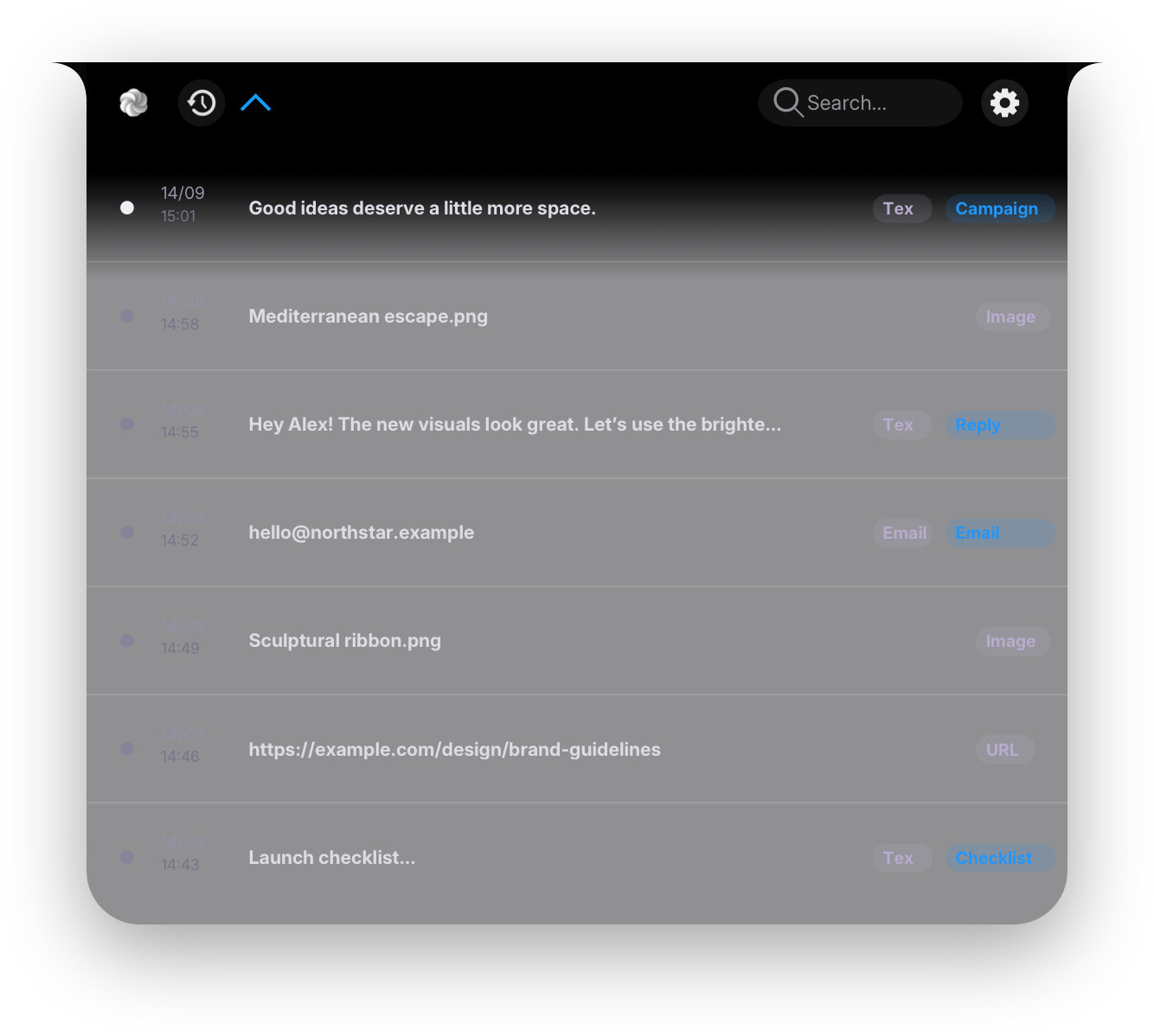
 Mediterranean escape.png
 Sculptural ribbon.png


Latest
Your most recent saved value for the selected field, ready to use again.
 SnippyPRO
The right content. Right where you need it.
Snippy Pro remembers the little things.
You focus on what matters.

Your clipboard. At the top of your Mac.
 Drop files hereDrag files, photos or screenshots to the notch
Drop now. Pick up later.
Capture it. Keep it within reach.
For macOS 26 and later · Direct download edition
Hold ⌘ and double-click. Compact Window brings your clipboard right beside you.
Your most recent saved value for the selected field, ready to use again.
The value you choose most often for this field, easy to find when you need it.
A fresh sample that matches the field type, from names and emails to passwords.
Three steps, right at your cursor.
One gesture opens a compact window. No hunting for the previous tab or interrupting your work.
See saved values for the supported field you are using. You choose. Snippy helps you find them.
Snippy remembers your choice for a recognized field. Recognition depends on the app and the information it provides.
Start with the essentials. Go Pro for everything else.
Your everyday clipboard, always within reach.
The Free edition will be available on the Mac App Store.
More memory. Smarter fields. Your flow, upgraded.
14 days of Pro, free.No credit card. No automatic charge.
Download Snippy ProApple Intelligence requires a compatible Mac with Apple Intelligence enabled. Field tools require Accessibility permission and supported fields.
Snippy Pro is a separate app. A Pro license does not unlock the App Store Free edition.
Download Snippy Pro for Mac ↓Open Snippy Pro Settings and enter this key to activate. Keep it for reinstalls.
This is a separate, directly downloaded edition of Snippy. It offers Compact Window and recognition of supported fields through Accessibility. Snippy Free runs in a sandbox and does not include these features.
It works in fields exposed through Accessibility by the app or browser. Some fields cannot be recognized, and identifiers can change. Support for every app or access to protected fields is not guaranteed.
No. The 14-day trial starts on first launch, without a card. After it ends, buy a lifetime license or redeem a free access code. There is no automatic charge.
Snippy Free will be free on the App Store. Pro purchases will be handled on this website when sales are enabled.